

In the digital age, maintaining the security of your website is paramount. Choosing the right web hosting service with robust security features can significantly mitigate risks and protect your site from various threats. This article outlines essential security features to consider when selecting a web hosting provider.
1. SSL Certificates
What is an SSL Certificate?
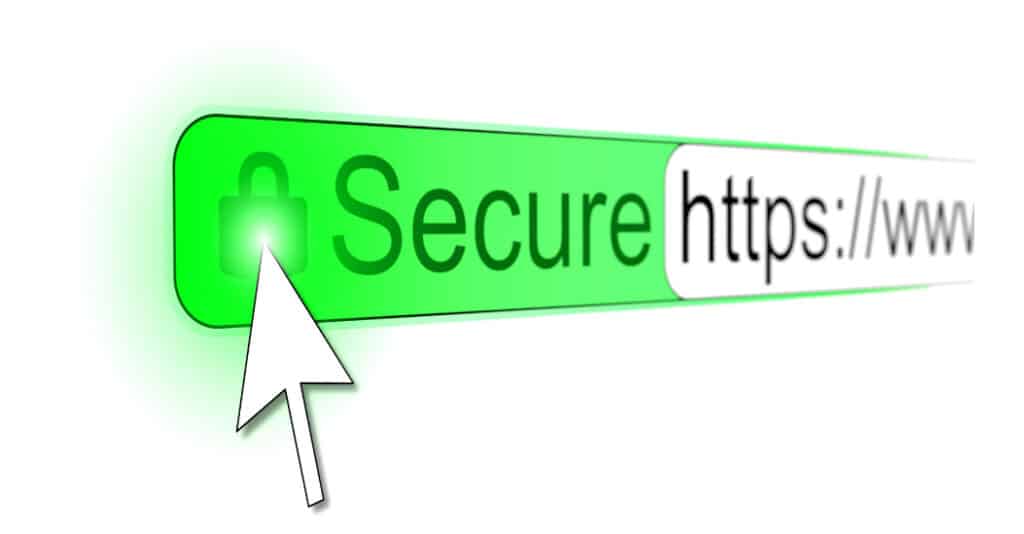
An SSL (Secure Sockets Layer) certificate encrypts the data transmitted between a user’s browser and the web server, ensuring that sensitive information such as passwords and credit card details remain private and secure.
Why It’s Important
SSL certificates not only enhance security but also boost your site’s credibility and SEO rankings. Websites with SSL certificates display “HTTPS” in their URL, signaling to users that their data is protected.
Implementation
Most reputable web hosting services offer free SSL certificates as part of their package. Look for providers that offer easy integration and automatic renewal of SSL certificates.
2. Firewalls
What is a Firewall?
A firewall is a network security system that monitors and controls incoming and outgoing network traffic based on predetermined security rules.
Types of Firewalls
- Web Application Firewalls (WAF): Protects against common web exploits like SQL injection and cross-site scripting (XSS).
- Network Firewalls: Prevent unauthorized access to or from private networks.
Importance
Firewalls act as the first line of defense against cyber attacks, blocking malicious traffic before it can cause harm.
What to Look For
Choose a web hosting service that offers both network firewalls and web application firewalls. Ensure they regularly update their firewall rules to adapt to new threats.
3. DDoS Protection
What is DDoS Protection?
Distributed Denial of Service (DDoS) protection defends your website against DDoS attacks, which aim to overwhelm your server with a flood of traffic, causing it to crash or become unresponsive.
Why It Matters
DDoS attacks can lead to significant downtime, loss of revenue, and damage to your website’s reputation.
Key Features
Look for web hosting services that offer advanced DDoS protection, including:
- Traffic Monitoring: Continuous monitoring of traffic patterns to identify and mitigate threats.
- Scalability: Ability to handle large volumes of traffic without compromising performance.
4. Regular Backups
The Role of Backups
Regular backups ensure that you have a recent copy of your website that can be restored in case of data loss due to hacking, server failure, or other issues.
Importance
Backups are critical for disaster recovery. They allow you to quickly restore your site to its previous state, minimizing downtime and data loss.
What to Look For
Choose a hosting provider that offers automated daily backups, easy restoration processes, and storage of backups in multiple locations.
5. Malware Scanning and Removal
What is Malware?
Malware, or malicious software, can damage your website, steal sensitive information, or hijack your server for malicious activities.
Importance of Scanning
Regular malware scanning helps detect and remove harmful software before it can cause significant damage.
Essential Features
Select a hosting service that provides:
- Automatic Malware Scanning: Regular scans for malware and vulnerabilities.
- Malware Removal Tools: Easy-to-use tools to remove detected malware.
6. Secure FTP
What is Secure FTP?
Secure FTP (SFTP) ensures that files are transferred securely between your computer and the web server.
Why It’s Crucial
Using SFTP protects your data from being intercepted during the upload or download process.
Implementation
Ensure your web hosting provider supports SFTP and other secure file transfer protocols.
7. Two-Factor Authentication (2FA)
What is 2FA?
Two-factor authentication adds an extra layer of security by requiring two forms of verification before granting access to your account.
Why It’s Important
2FA significantly reduces the risk of unauthorized access, even if your password is compromised.
Features to Look For
Choose a hosting provider that offers 2FA for both account and server access. Look for options that support authentication apps, SMS, or email verification.
8. Security Patches and Updates
Why Updates Matter
Regular security patches and updates ensure that your web hosting environment is protected against known vulnerabilities.
What to Expect
Hosting providers should offer automatic updates for:
- Server Operating System: Ensures the underlying infrastructure is secure.
- Control Panel Software: Keeps the tools you use to manage your website secure.
9. Isolated Environment
What is an Isolated Environment?
An isolated environment means that your website is hosted in a dedicated or virtually isolated space, reducing the risk of cross-site contamination.
Importance
Isolation prevents other websites on the same server from affecting your site, enhancing overall security.
What to Look For
Consider hosting options such as Virtual Private Servers (VPS) or dedicated hosting, which offer higher levels of isolation compared to shared hosting.
10. Compliance with Security Standards
What are Security Standards?
Security standards like PCI DSS (Payment Card Industry Data Security Standard) ensure that your hosting provider meets specific security requirements.
Why It’s Important
Compliance with security standards is crucial for websites that handle sensitive data, such as e-commerce sites.
What to Look For
Ensure your hosting provider is compliant with relevant security standards and can provide documentation to verify their compliance.
Conclusion
Choosing a web hosting service with robust security features is essential for protecting your website from various threats. Look for providers that offer SSL certificates, firewalls, DDoS protection, regular backups, malware scanning and removal, secure FTP, two-factor authentication, regular security patches, isolated environments, and compliance with security standards. By prioritizing these features, you can ensure the safety and integrity of your website, providing peace of mind to both you and your users.